Home / Store / Adobe Illustrator / Adobe Illustrator CS5: Learn by Video

Adobe Illustrator CS5: Learn by Video

  • Published: Oct 8, 2010
  • Copyright 2011
  • Dimensions: Special (all other)
  • Pages: 120
  • Edition: 1st
  • DVD
  • ISBN-10: 0-321-73481-5
  • ISBN-13: 978-0-321-73481-5

Register your product to gain access to bonus material or receive a coupon.

More Information

Audio & VideoDescriptionReviews

Video

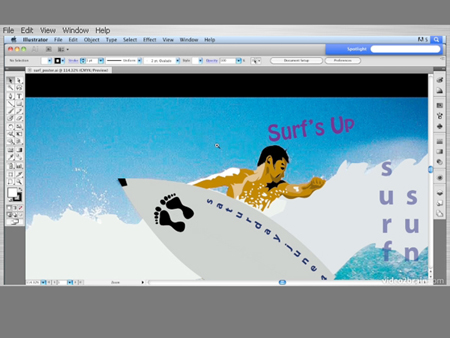
This video clip has been formatted and modified to fit this page. The actual video product provides a larger screen size and higher resolution, as well as standard player control tools such as fast forward, reverse, and scrubbing.
You need to upgrade your Flash Player. You need version 9 or above to view this video. You may download it here. You may also see this message if you have JavaScript turned off. If this is the case, please enable JavaScript and reload the page.

Learn more at www.learnbyvideo.com.

Product Description

This complete training program from Adobe Press and video2brain combines over 17 hours of exceptional video training with a full-color 120-page guide to teach you the fundamentals of Adobe Illustrator CS5 as well as the basic principles of vector-based graphics.

Expert authors and trainers Chad Chelius and Russell Viers demystify the interface and show you how to create original artwork. You’ll learn to use essential tools to draw in perspective, set sophisticated type, work with multiple artboards, and create resolution-independent raster effects.

Topics include:

•    Making complex paths
•    Painting watercolor strokes
•    Customizing panels and workspaces
•    Using Pathfinder effects and the Shapebuilder tool
•    Vectorizing line drawings
•    Delivering files to print, the web, or virtually any device

and more!

The lessons are wrapped in a feature-rich interface that lets you jump to any topic and bookmark individual sections for later review. Full-Screen mode provides a hi-def, immersive experience, and Watch-and-Work mode shrinks the video into a small window so that you can play the videos alongside Adobe Illustrator CS5.

As with all titles in the Learn by Video series, the project files used in the lessons are included with the course, and interactive review questions help reinforce what you're learned. Selected videos are also provided ready to be downloaded for viewing on your iPhone, iPod, or other compatible mobile device.

Customer Reviews

16 of 16 people found the following review helpful
4.0 out of 5 stars A fun and informative overview of Illustrator CS5 - packed with helpful tips and advice for how to make the most of the program, December 4, 2010
This review is from: Adobe Illustrator CS5: Learn by Video (Paperback)
I had a pretty basic familiarity with Illustrator going into this, so I wasn't sure it would be all that helpful - I just wanted a quick refresher and was prepared to be a bit bored. It turns out, this is not at all boring - it's an excellent overview, full of great advice and cool tricks for getting started and working with and making the most of the power of Illustrator. Advanced Illustrators may not need it, but it is very thorough and I expect that almost anyone would pick up valuable insights after working through these many tutorials. Certainly casual and intermediate users, and especially those in need of a refresher, are likely to learn a lot from this guide. Not only is it easy to follow and covers a wide range of helpful tips and tricks - but the design examples they lead you through are excellent models of achieving elegant designs employing simple principles. One of my favorite aspects of the various lessons was just seeing what kinds of design examples they came up... Read more
Help other customers find the most helpful reviews 
Was this review helpful to you? Yes No


8 of 8 people found the following review helpful
5.0 out of 5 stars Excellent Resource, February 12, 2011
Amazon Verified Purchase(What's this?)
This review is from: Adobe Illustrator CS5: Learn by Video (Paperback)
"Adobe Illustrator CS5: Learn by Video" is very well organized, instructions are clear, examples are excellent, and it demonstrates creative uses of the unique capabilities of Illustrator. I gained more knowledge about using Illustrator in a few viewings of various segments of this video than I had in 3 years of struggling with the Classroom in a Book. The interactive tool panel segment is just excellent. It also includes lesson files so that the viewer can work right along with the presenters! The presenters (Chad Chellus and Russell Viers) are pleasant to listen to, and use language and descriptions that are easy to understand for any level of user. I am very pleased with the product and very happy that I purchased it.
Help other customers find the most helpful reviews 
Was this review helpful to you? Yes No


5 of 5 people found the following review helpful
4.0 out of 5 stars Great overview of tools, March 30, 2011
By 
Robert Hostetter (Lititz, PA United States) - See all my reviews
(REAL NAME)   
Amazon Verified Purchase(What's this?)
This review is from: Adobe Illustrator CS5: Learn by Video (Paperback)
This software is a great overview of the tools in illustrator. When I was done I felt like I really knew what I was doing, so I opened up illustrator to start trying out what I learned, and I realized that while I knew how to use most of the tools, I didn't know how to use them together to actually make something. The tools break things up into tiny snippets and outside of a few super simple designs they do not really show you how to "put it all together". With that said, I have been muddling through it and slowly figuring out how to use the stuff together, and if you already know the basics and want to learn in-depth how to use each tool, this is a great way to learn. For what this covers, it does so in a very easy to understand way, I just wish there was a volume 2 that showed real world projects from beginning to end. I have not seen anything so far that does this outside of a few tutorials on the web so I will say that this isn't too much of a downside. I do want to be clear... Read more
Help other customers find the most helpful reviews 
Was this review helpful to you? Yes No


Share your thoughts with other customers:
 See all 9 customer reviews...
Buy

DVD  $59.99  $47.99

Usually ships in 24 hours.

This DVD includes free shipping!

Related Products

Purchase Reward: 15 Day Trial to Creative Edge
By completing any purchase on Adobe Press, you become eligible to try out Creative Edge free for 15 days.

Get unlimited online access to thousands of training resources on creative topics. You will also get a discounted rate of just $17.99/month if you decide to continue with a paid subscription.